Fresh ideas for dinner
Browse the collection or let personalised suggestions guide you. Find ideas beyond your usual routine.
A site without ads. Try it without creating an account.
Browse the collection or let personalised suggestions guide you. Find ideas beyond your usual routine.
Plan your meals for the week. Leave room for eating out or a spontaneous dinner.
Adjust portions for the number of guests and everyone’s appetite, without recalculating ingredients yourself.
Find the ingredients for your meals on a shopping list. Tick items off, organise it by shop and share it.
Autumn mains from the collection, with ingredients, steps and adjustable portions.
Ravioles du Dauphiné and spinach baked with cream and Comté until golden.
Lentils with carrots and onions, topped with sweet potato mash and decorated with olives to make a monster.
Black rice with paprika-roasted squash and chickpeas, arranged in black and orange for Halloween.
A white pizza with cream, mushrooms, rocket and Parmesan.
How it works
Browse the recipe collection or explore suggestions based on your tastes. Add dishes to your plan and adjust portions for everyone at the table. Then choose which meals to shop for: Au Menu lists the ingredients and quantities you’ll need. Cook each day or prepare some dishes ahead.
Plan my first week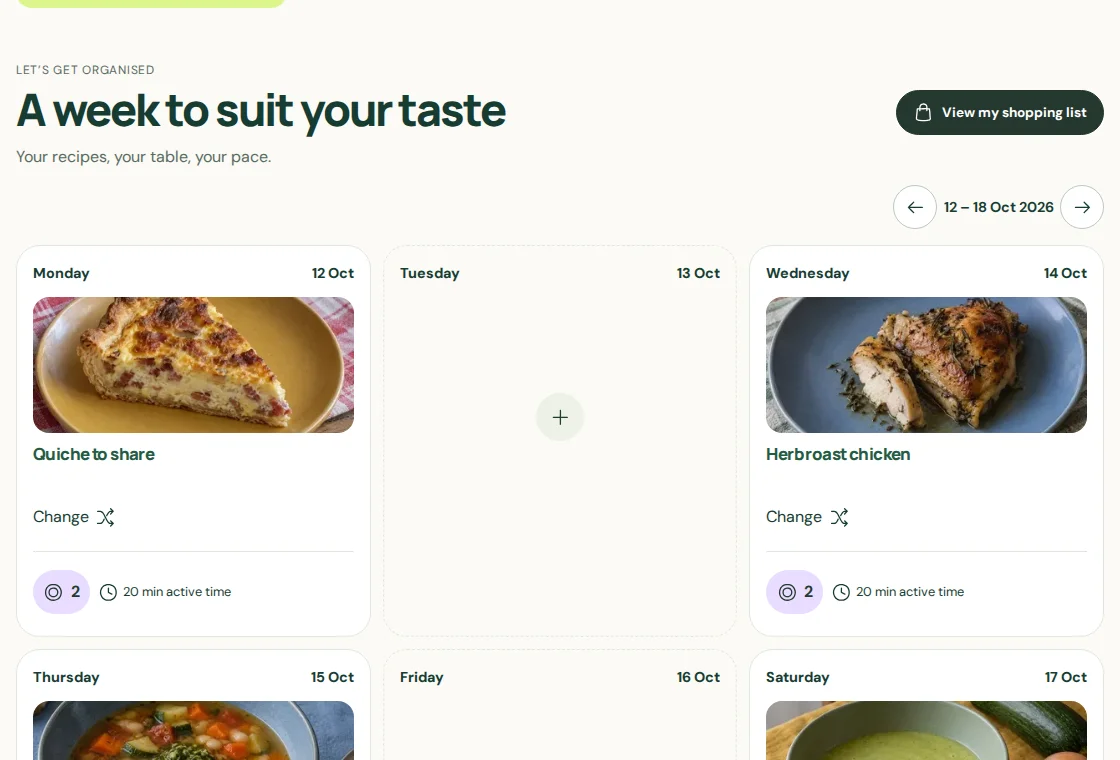
Start with a recipe from the collection or a suggestion based on your tastes.
Add meals to the days you choose, move them when plans change and adjust portions.
Choose which meals to shop for and find their ingredients on your shopping list.
Plan your weekly meals with Au Menu. Choose recipes, move meals between days and adjust portions before making your shopping list.
DiscoverCreate a shopping list from your chosen meals. Au Menu calculates ingredient quantities for the portions you’ve planned.
DiscoverDiscover recipe suggestions based on your tastes. Your choices help Au Menu suggest dishes you might like, with room for something new.
DiscoverBrowse Au Menu recipes without ads. Find ingredients, cooking steps and adjustable portions, and search by cuisine, dish or preparation time.
DiscoverAdjust recipe portions for the people at your table. Au Menu calculates ingredient quantities for your meals and shopping list.
DiscoverAn emulsion of salted white fish roe, bread, olive oil and lemon.
Vegetable and white bean soup with a basil and garlic pistou.
Oysters topped with crème fraîche, Parmesan, egg yolk and vermouth, then gratinated.
Cow and sheep curd cheeses mixed with butter, onion and sweet paprika.
Salt cod whipped with olive oil, served on croûtons.
Oxtail broth with carrots, potatoes and spices, served with chilli soy sauce.
Hungarian beef stew with paprika, potatoes and peppers.
Udon noodles, carrots and pepper stir-fried with soy and sesame.
Steamed millet grains in a yogurt cream scented with vanilla and nutmeg.
Thin crêpes coated with an orange and salted butter sauce.
Meringues layered with vanilla whipped cream and whisky chestnut cream.
Gingerbread bites layered with apricot and marzipan and coated in dark chocolate.
Yes. You can browse recipes, plan meals, adjust portions and tick off items on your shopping list. Without an account, your plan and ticked items stay in this browser and don’t sync across devices.
The plan you made without an account stays in this browser. It isn’t automatically added to your household’s plan when you sign in.
No. Start with a few meals. Add more and change your choices as the week unfolds.
Take a moment to choose your next meals. When it’s time to cook, you already have an idea and know what to prepare.
Plan my first week